

Fake Virus Pop-Up Scam — I Clicked It. Now What?
⚠️ Just Saw a Virus Warning With a Phone Number?
If your screen says your computer is infected — do not call the number.
I fix fake virus pop-up scams remotely every day for people across the U.S.
✔ No upselling
✔ Flat rate
✔ Seniors welcome
✔ If I can’t fix it, you don’t pay
👉 Click here to get calm, honest help now.
Fake virus pop-up scam warnings are designed to scare you into making a fast decision.
If you just saw one — or worse, clicked it — take a breath.
You are not alone.
Every week I help people across the United States who see messages like:
“Your computer is infected!”
“Microsoft detected suspicious activity!”
“Call this number immediately!”
It looks official.
It feels urgent.
And in most cases, it is completely fake.
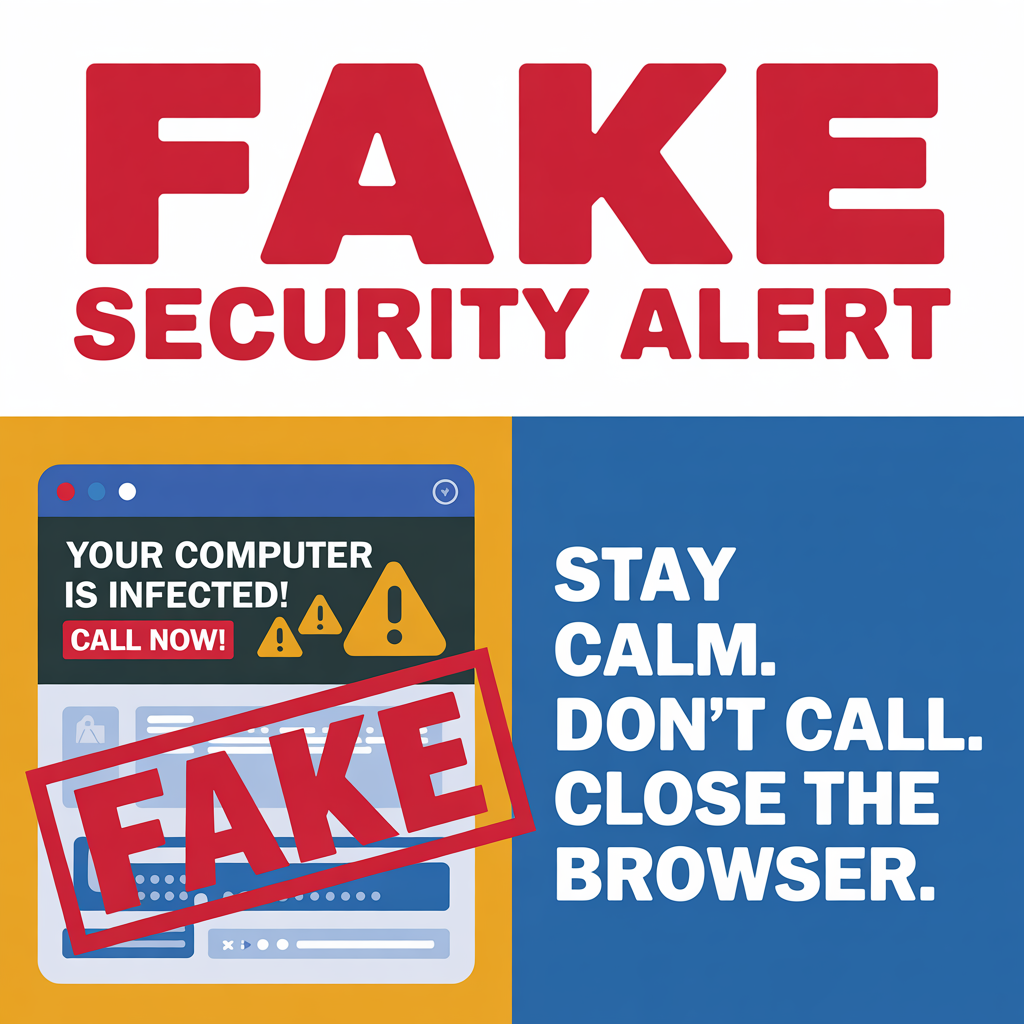
What Is a Fake Virus Pop-Up Scam?
A fake virus pop-up scam is a webpage designed to scare you.
It tries to:
Trick you into calling a phone number
Get remote access to your computer
Convince you to pay for “virus removal”
Steal passwords or banking information
Important:
Microsoft does NOT display phone numbers in virus warnings.
If you see a number — it’s a scam.
If You Already Clicked It, Here’s Exactly What To Do
Step 1: Do NOT Call the Number
This is the biggest mistake people make.
The second you call, the scam begins.
Step 2: Try to Close the Browser
On Windows:
Press Ctrl + Shift + Esc
Open Task Manager
End Task on your browser
On Mac:
Press Command + Option + Esc
Force Quit your browser
If it won’t close, don’t panic. That’s part of the scare tactic.
Step 3: Restart the Computer
In most cases, that alone clears the pop-up.
If it comes back after restart, then we dig deeper.
What If You Called the Number?
If you:
Gave them remote access
Paid them
Gave credit card info
Gave bank info
Gave passwords
Then we need to act quickly.
This is fixable — but speed matters.
That usually involves:
Removing remote software
Checking for malware
Changing passwords
Contacting your bank if necessary
I walk people through this calmly every day.
⚠️ QUICK TIP: Never call a phone number shown in a pop-up virus warning.
Real security alerts do not include phone numbers.
If a message pressures you to “Call Immediately,” it’s almost certainly a fake virus pop-up scam.
How Do I Know If My Computer Is Actually Infected?
Real infections do NOT:
Flash giant red screens
Play loud alarms
Display phone numbers
Lock your browser and scream at you
Real malware is usually quiet.
If your computer is:
Running slower than normal
Showing strange ads
Opening random tabs
Saying “Managed by your organization”
Then we should check it properly.
Why These Scams Target Seniors
Let’s be honest.
They target seniors because:
Seniors are more likely to call the number
Seniors are more trusting
Seniors often have retirement savings
That makes me angry.
And it’s one of the reasons I built my business the way I did.
Flat rate.
No upselling.
No pressure.
If I can’t fix it, you don’t pay.
When Should You Get Help?
You should reach out if:
The pop-up won’t go away
You gave them access
You paid them
Your computer is acting strange
You just want peace of mind
Sometimes it’s a 10-minute fix.
Sometimes we need to clean things up.
Either way — you won’t be judged.
You’ll just get help.
The Most Important Thing To Remember
You are not foolish.
These scams are professionally designed to trick people.
The smartest people in the world fall for them.
The only mistake is doing nothing.
If you want me to take a look, I help people nationwide, completely remotely.
If I can’t fix it, you don’t pay.
That’s how it should be.
Q: Is the Microsoft virus warning pop-up real?
A: No. Microsoft does not display phone numbers in virus alerts. If you see a number, it is almost certainly a fake virus pop-up scam.
Q: What happens if I call the number on a virus pop-up?
A: Scammers may try to gain remote access, charge you money, or steal personal information.
Q: Can a website really detect viruses on my computer?
A: No. A website cannot scan your computer directly for viruses.
Q: How do I close a fake virus pop-up that won’t close?
A: Use Task Manager (Windows) or Force Quit (Mac), then restart your computer.
💡 DIY Computer Fixes?
Grab my easy step-by-step guide and keep your computer running like new.