

Got a new computer and want it set up like the old one? I provide complete remote new PC setup and data transfer for a $69.99 flat rate. I can move your files, set up your email, install your programs, connect your printer, adjust your settings, and help make your new computer feel familiar and ready to use.
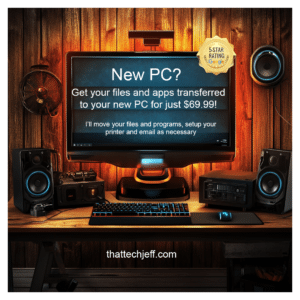
Everything you need to get your new computer ready to use is included in one flat rate. No hourly charges, no membership, and no expensive setup package. Here’s what I can take care of for you:
- Transfer your files and photos from your old computer to the new one
- Set up your email and make sure you can send and receive messages
- Install your programs and help get your commonly used software working
- Set up your printer and scanner
- Move browser favorites and bookmarks when possible
- Set up OneDrive, Google Drive, or Dropbox if you use them
- Adjust Windows settings so the new computer is comfortable and familiar
- Help match your old computer’s layout as closely as practical
- Remove unnecessary startup clutter and make sure the new PC is running properly
- Answer your questions so you’re comfortable using the new computer
Most People Don’t Realize How Long a Full Setup Takes
Setting up a new PC involves much more than turning it on and transferring a few files. Your files need to be moved to the right places, programs may need to be installed, email accounts configured, printers connected, and important settings adjusted. A complete setup can take time, especially when you want the new computer to work and feel like the one you’re replacing.
My goal is to make your new PC feel familiar from the start.
I don’t just transfer your files and leave you to figure out the rest. I organize your files in the appropriate locations, set up your email, install the programs you use, connect your printer, and adjust important settings. When possible, I can also recreate familiar parts of your old setup, so your new PC is comfortable and ready to use.
Your New PC Should Feel Familiar
My goal is to make the transition as easy as possible. Instead of simply moving your files and leaving you with an unfamiliar computer, I help arrange things so you know where to find what you need and can get back to using your computer normally.
When possible, I’ll recreate familiar parts of your old setup and help make the new PC look and work more like the computer you’re used to.
Flat Rate – No Surprises
One of the biggest benefits of my service is knowing the cost before we start. $69.99 covers the complete new PC setup, so you don’t have to worry about an hourly meter running while files transfer, programs install, or settings are configured.
A thorough setup can take several hours depending on how much data you have and what needs to be installed or configured. The price stays the same.
There are no hourly charges, memberships, or recurring fees. And if I can’t complete the job, you don’t pay.
No Fix • No Charge.
What’s Included in My $69.99 New PC Setup?
My $69.99 flat rate covers the complete remote new PC setup, not an hourly charge. I’ll help get your new computer ready to use, transfer the files you need from your old computer, and take care of the setup details so you don’t have to figure everything out on your own.
- File Transfer — Move your documents, photos, music, videos, and other personal files from your old computer.
- Email Setup — Set up your existing email accounts on the new PC.
- Program Setup — Install or reinstall the programs you use, when the installers and licenses are available.
- Printer Setup — Connect and configure your existing printer.
- Browser Setup — Set up your preferred browser, bookmarks, and common browser settings.
- Personal Settings — Adjust important Windows settings and make the new computer feel more familiar.
- Final Check — Make sure everything we set up is working properly before the job is finished.
What Can Be Transferred to My New Computer?
Most of your important personal files can be transferred from your old computer to your new PC, including documents, photos, videos, music, downloads, and other personal files.
Other items, such as email accounts, browsers, printers, cloud storage, and programs, may need to be set up or installed on the new computer rather than simply transferred.
Some programs require a fresh installation and may require you to sign in with your existing account, subscription, or product key. If an older program isn’t compatible with your new computer, I’ll let you know and help you understand your options.
Before anything is moved, we’ll go over what you want to keep so your new computer is set up around the way you actually use it.
Does My Old Computer Need to Be Working?
For a remote computer-to-computer transfer, your old computer needs to be able to start and give us access to the files you want transferred. It doesn’t have to be running perfectly.
If the old computer no longer starts, has a failed drive, or Windows won’t load far enough to access your files, a normal remote transfer may not be possible. In that situation, I’ll explain your options before you spend any money.
If I can’t complete the job remotely, you don’t pay.
No Fix • No Charge.
How Remote New PC Setup Works
Getting your new computer set up remotely is straightforward, and I’ll guide you through the entire process.
- Contact me when you have both computers available. Your new PC should be connected to the internet, and your old computer needs to be accessible if we’re transferring files from it.
- I’ll help you establish the remote connection. You don’t need to be technically experienced or figure out complicated software on your own. I’ll walk you through it.
- We’ll decide what you want moved and set up. We’ll go over your files, email, programs, browser settings, printer, and anything else that’s important to the way you use your computer.
- I’ll set up your new PC and transfer your files. You remain in front of your computer and can see what’s happening on the screen while I work.
- We’ll check everything together. Before we’re finished, we’ll make sure your important files are where you expect them and that you’re comfortable using the new computer.
The complete remote new PC setup is $69.99 flat rate. If I can’t complete the job remotely, you don’t pay.
No Fix • No Charge.
Why Choose That Tech Jeff for New PC Setup?
I’ve been providing online computer help since 2007, helping customers across the United States with everything from everyday computer problems to complete moves from an old computer to a new one. That Tech Jeff has received more than 1,500 five-star reviews, and when you contact me, you work directly with me from start to finish.
When you choose me for your new PC setup, you get:
- One-on-one personal service — You work directly with me, not a call center or a different technician each time.
- Years of remote computer experience — I’ve been helping people with computers online since 2007.
- Help built around your computer — I take the time to understand how you used your old PC and what you want from the new one.
- Patient, straightforward help — You can ask questions along the way, and I’ll explain things without unnecessary technical jargon.
- No Fix • No Charge — If I can’t complete the job remotely, you don’t pay.
I also offer dedicated remote computer help for seniors who prefer patient, one-on-one assistance.
Why Remote New PC Setup Is Convenient
Because the setup is done remotely, you don’t have to disconnect your computers, pack them up, drive them to a repair shop, and then make another trip to pick them up. Both computers stay with you in your home while I handle the setup and transfer process online.
Remote service also allows me to handle time-consuming tasks such as file transfers, downloads, installations, updates, and configuration while working through the rest of your setup.
Best of all, you don’t have to leave your computers somewhere for hours — or possibly days — wondering when they’ll be ready. You remain with your computers throughout the process.
Compare New PC Setup Services Carefully
When comparing new PC setup services, look beyond the advertised starting price and find out exactly what’s included.
Moving your files is only part of setting up a new computer. You may also need help setting up email, reinstalling programs, connecting your printer, configuring cloud storage, adjusting Windows settings, and making the new computer feel familiar.
Before choosing a service, ask whether those tasks are included or priced separately.
With That Tech Jeff, the goal is simple: get your new computer set up and ready for you to actually use, not just move your files from one computer to another.
The Bottom Line
A new computer should be exciting — not a project that takes you days to figure out.
For $69.99 flat rate, I’ll help move your important files, set up the programs and services you use, connect your printer, configure your email, and make your new PC feel as familiar as possible.
You get one-on-one remote help from someone who has been helping people with computers online since 2007, without having to pack up your computers or take them anywhere.
Your new computer gets set up. You get back to using it.
And if I can’t complete the job remotely, you don’t pay.
No Fix • No Charge.
New PC Setup Frequently Asked Questions
Can you transfer everything from my old computer to my new PC?
Most personal files such as documents, photos, videos, music, and downloads can usually be transferred. Programs are different — many need to be downloaded and installed again on the new computer rather than copied directly. Some programs may also require your existing account, subscription, or product key.
Do I Need to Be Good With Computers for Remote Setup?
No. You don’t need to be technically experienced. I’ll walk you through connecting with me remotely, and once we’re connected, I’ll handle the setup while you can see what’s happening on your screen. You can ask questions at any point along the way.
Can You Make My New PC Look Like My Old Computer?
I can usually recreate many of the familiar parts of your old computer, including commonly used programs, browser settings, shortcuts, file locations, and other preferences. Your new PC may not look exactly the same because of differences in Windows versions or software, but I’ll make it as familiar and comfortable to use as practical.
How Much Does Remote New PC Setup Cost?
My complete remote new PC setup service is $69.99 flat rate per job. There are no hourly charges, memberships, or recurring fees. If the setup takes longer because of file transfers, downloads, or installations, the price stays the same.
If I can’t complete the job remotely, you don’t pay. No Fix • No Charge.
How Long Does a New PC Setup Take?
The time required depends on how much data needs to be transferred, which programs need to be installed, and what needs to be configured. A complete setup can take several hours, especially when large amounts of data are being moved.
You don’t pay more if the setup takes longer. The complete remote new PC setup is still $69.99 flat rate.
Ready to Get Your New PC Set Up?
Need help getting your new computer ready to use? I provide complete remote new PC setup for a $69.99 flat rate, including file transfer, email, programs, printers, and important settings. No Fix • No Charge.
New PC Setup

Setting up files, email, programs and printers on a new PC
💡 DIY Computer Fixes?
Grab my easy step-by-step guide and keep your computer running like new.