

💡 DIY Computer Fixes?
Grab my easy step-by-step guide and keep your computer running like new.
How to Dramatically Speed Up an Old Windows 10 Laptop
(Simple Fixes)
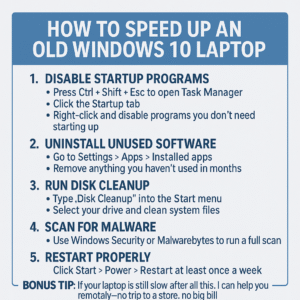
If your old Windows 10 laptop feels like it’s crawling, you’re not alone. But you don’t need a new computer just yet. Here are a few free, quick steps to bring it back to life:
1. Disable Startup Programs
Too many apps running at startup can bog down your system.
Here’s how:
Press Ctrl + Shift + Esc to open Task Manager
Click the Startup tab
Right-click and disable programs you don’t need launching at startup
2. Uninstall Unused Software
Outdated apps or preinstalled bloatware? You don’t need them.
Go to Settings > Apps > Installed apps
Remove anything you haven’t used in months
3. Run Disk Cleanup
Free up space and delete unnecessary files.
Search “Disk Cleanup” in the Start menu
Select your drive and clean system files for best results
4. Scan for Malware
Even one unwanted program can slow things to a crawl.
Use Windows Security or Malwarebytes to run a full scan
5. Restart Properly
Laptops often just “sleep” instead of restarting. A full restart refreshes memory and clears temporary issues.
Click Start > Power > Restart at least once a week
Bonus Tip:
If your laptop is still slow after all this, I can help you remotely—no trip to a store, no big bill.
I only charge if your computer runs better when we’re done. Seniors save even more.
🔹 Quick Tip: What Actually Slows Down Older Windows 10 Laptops
Before assuming your laptop is “just too old,” it helps to know what usually causes the slowdown in the first place:
✔ Too many programs starting automatically
Over time, apps quietly add themselves to startup. Even a few extras can noticeably slow an older system.
✔ Low free storage space
Windows needs room to work. When a drive is nearly full, performance often drops sharply — even if everything else seems fine.
✔ Updates and background tasks piling up
Older laptops can struggle when updates haven’t been applied regularly, causing Windows to constantly “catch up” in the background.
In many cases, slowness isn’t permanent damage — it’s buildup. Addressing the right things can make a surprising difference without replacing the computer.
